



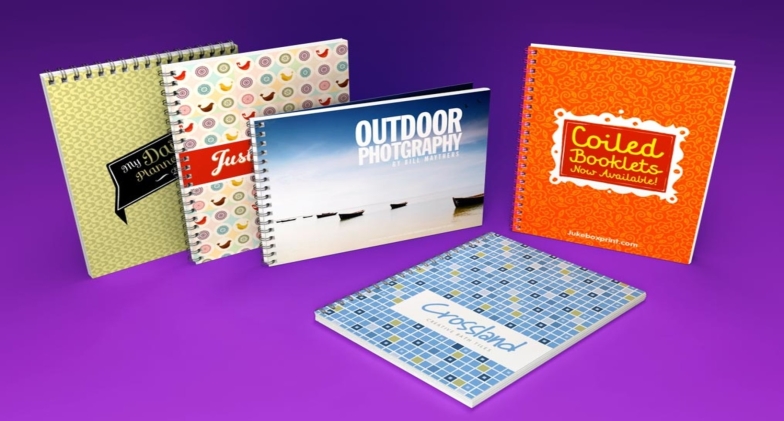
Creating a booklet that captivates your audience involves more than just compelling content and striking visuals; it requires meticulous preparation to ensure that your vision translates seamlessly from screen to print. Whether it’s a brochure, a promotional booklet, or an informational guide, following the right steps to prepare your booklet printing is crucial. Here’s a comprehensive guide to help you navigate the process effectively.
Design with Printing in Mind
Begin by choosing the right software for design—Adobe InDesign, Illustrator, or even a word processor like Microsoft Word—to create your booklet. Set up your document with the correct dimensions, resolution (usually 300 DPI for high-quality print), and color mode (CMYK for print). Remember to bleed areas if your design extends to the edge of the page to prevent white borders after trimming.
Organize Content and Layout
Structure your content logically, organizing it to ensure a smooth flow and readability. Pay attention to margins, alignments, and spacing to maintain a clean and professional appearance. Use master pages to keep consistent elements like page numbers, headers, and footers across the entire booklet.
Select the Right Fonts and Images
Opt for legible and print-friendly fonts, ensuring they are embedded or outlined to avoid font-related issues during printing. When it comes to images, use high-resolution photos or graphics to maintain quality in print. Embed or link the images properly in your document and ensure they are in the CMYK color mode for accurate printing.
Proofreading and Review
Before sending your booklet for printing, meticulously proofread all content for spelling, grammar, and factual accuracy. Conduct a thorough review of the design, checking for consistency, alignment, and any potential errors. It’s wise to get a fresh set of eyes to review your work for any overlooked mistakes.
Convert to Print-Ready Format
Once you’re satisfied with the design and content, it’s time to prepare your booklet for printing. Save your document as a high-resolution PDF, ensuring it meets the printer’s specifications. Check for proper bleed settings, embed fonts, and maintain the correct color profile (CMYK) to guarantee accurate reproduction.
Consult with a Professional Printer
Engage with a reputable printing service to discuss your project specifications. Provide them with your print-ready file and communicate any specific requirements regarding paper quality, finishing options (like matte or glossy finish), binding methods, and quantities needed. Request a printed proof if possible to ensure the final product meets your expectations.
Finalize and Print
Review the proof thoroughly and make any necessary adjustments before giving the green light for the final print run. Once approved, proceed with printing, keeping in close communication with the printer to ensure quality control throughout the process.
Post-Printing Considerations
After printing, inspect the booklets for any issues such as color discrepancies, misalignments, or printing errors. If satisfied, proceed with distribution or further processing such as binding or trimming, if necessary.
Conclusion
Preparing a booklet for printing is a meticulous yet rewarding process that merges creativity with precision. From content organization to selecting the right design software and collaborating with printing professionals, each step plays a vital role in ensuring a polished, visually striking final product. Attention to detail, adherence to printing specifications, and effective communication with printing experts are the cornerstones of successfully bringing a digital vision to life in a tangible, professionally printed booklet.
